AI Automated Coding for Performance Analysts

· VectorPitch Team
VectorPitch AI takes on the effort of coding a match, freeing performance analysts to focus on understanding the game, developing their own insights and finding the answers coaches need.
How AI coding saves analysts time
Manually coding a 90-minute match typically takes an experienced analyst 1.5 to 2 hours. A thorough deep code can take 4 to 6 hours. VectorPitch AI currently automates match coding in around 60 minutes. While it works, analysts can use that time for other tasks, including deeper analysis and preparing insights for coaches.
Review and manage suggested tags
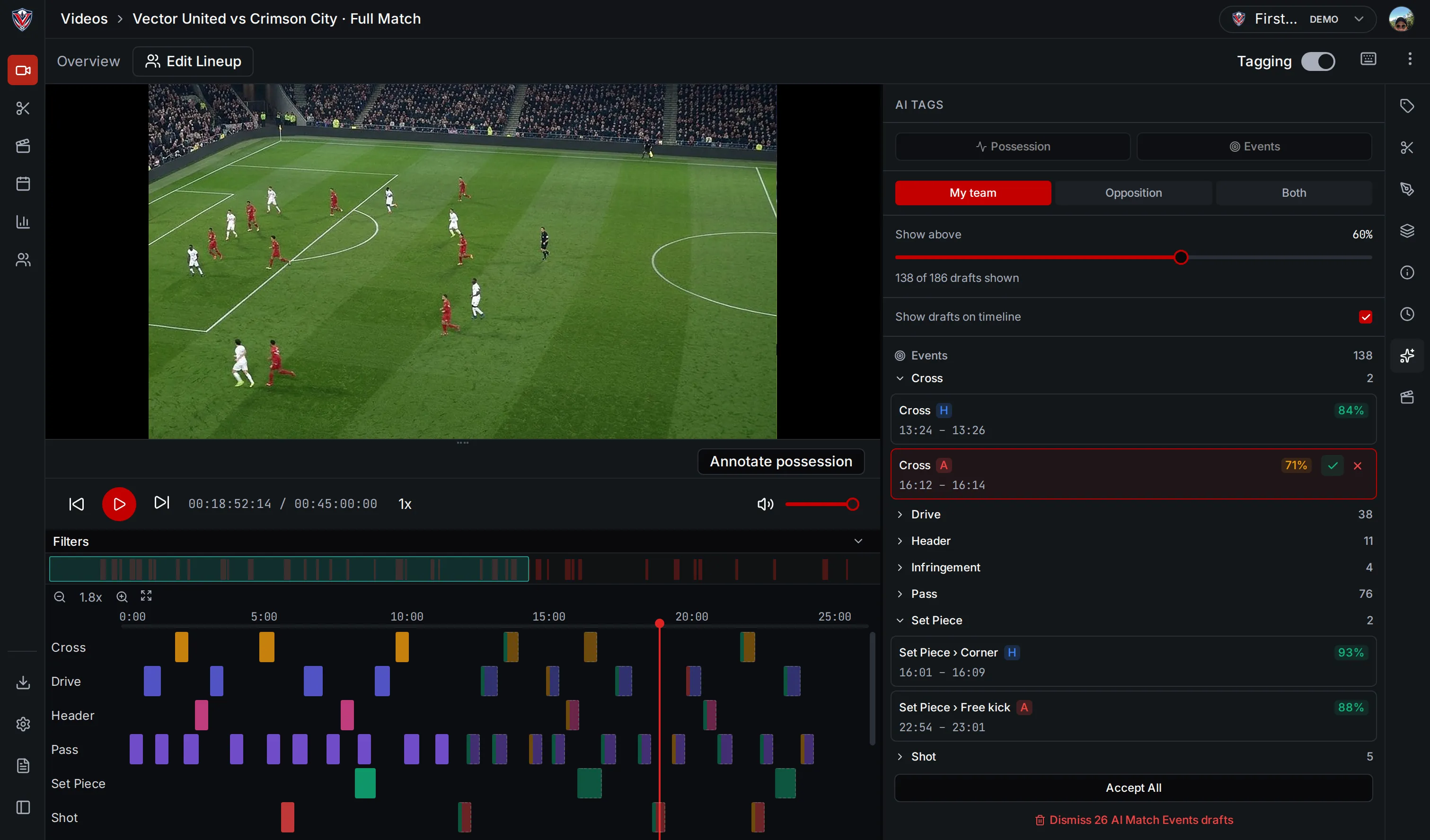
VectorPitch identifies candidate match events and ball touches in video and presents them as suggested tags. Analysts can accept or reject suggestions individually, accept all suggestions or those above a confidence level, and dismiss suggestions from a particular source.
How the AI analyses match video
For football, VectorPitch uses computer vision models to identify match events and ball-touch actions in the video. It also detects and tracks players, the ball and referees, with visual overlays that help analysts see where those detections occur. The event and ball-touch models cover different types of play, including passes, crosses and headers, so the timeline gives analysts more than a list of generic moments.
Use match tags to uncover deeper insights
With less time spent coding by hand, analysts have more time to explore the game and develop deeper insights. Event and ball-touch tags help them find relevant clips, compare repeated moments and examine how play develops. Analysts can follow questions that emerge from the match, use their knowledge of the team to interpret what they see and give coaches and players a clearer explanation of what happened.