Build BI dashboards and connect Claude and ChatGPT to VectorPitch

· VectorPitch Team
A coded match can do more than produce a report. Event and line-up data can answer a coach’s immediate question, feed a club’s BI dashboards and connect match analysis with the rest of a performance programme.
VectorPitch gives performance analysts several practical routes: review event tables in reports, export them to Excel, bring match records into BI and other performance analysis systems through the REST API, and query match context through AI assistants using MCP.
Use BI to compare trends across matches, an API to feed club systems, Excel for flexible review and MCP to explore match context with an AI assistant.
BI: build the dashboards your staff needs
Bring VectorPitch event and match data into a BI platform to build dashboards around your club’s questions. Compare player involvement, opposition patterns and trends across matches, then choose the charts, filters and definitions that make sense for your coaches.
In a BI platform, a club can combine match records with physical or training data it already holds, then explore how those measures relate to events on the pitch.
API: connect VectorPitch to your analysis systems
VectorPitch’s REST API provides event, line-up and match records as CSV or JSON Lines. Use it to load match data into a club data warehouse, BI platform or another performance analysis product.
Use the API to build a repeatable import into existing dashboards and analysis workflows. Event records retain their links to the match and players, so connected systems can use the coding in context.
Excel: move from a report to a custom review
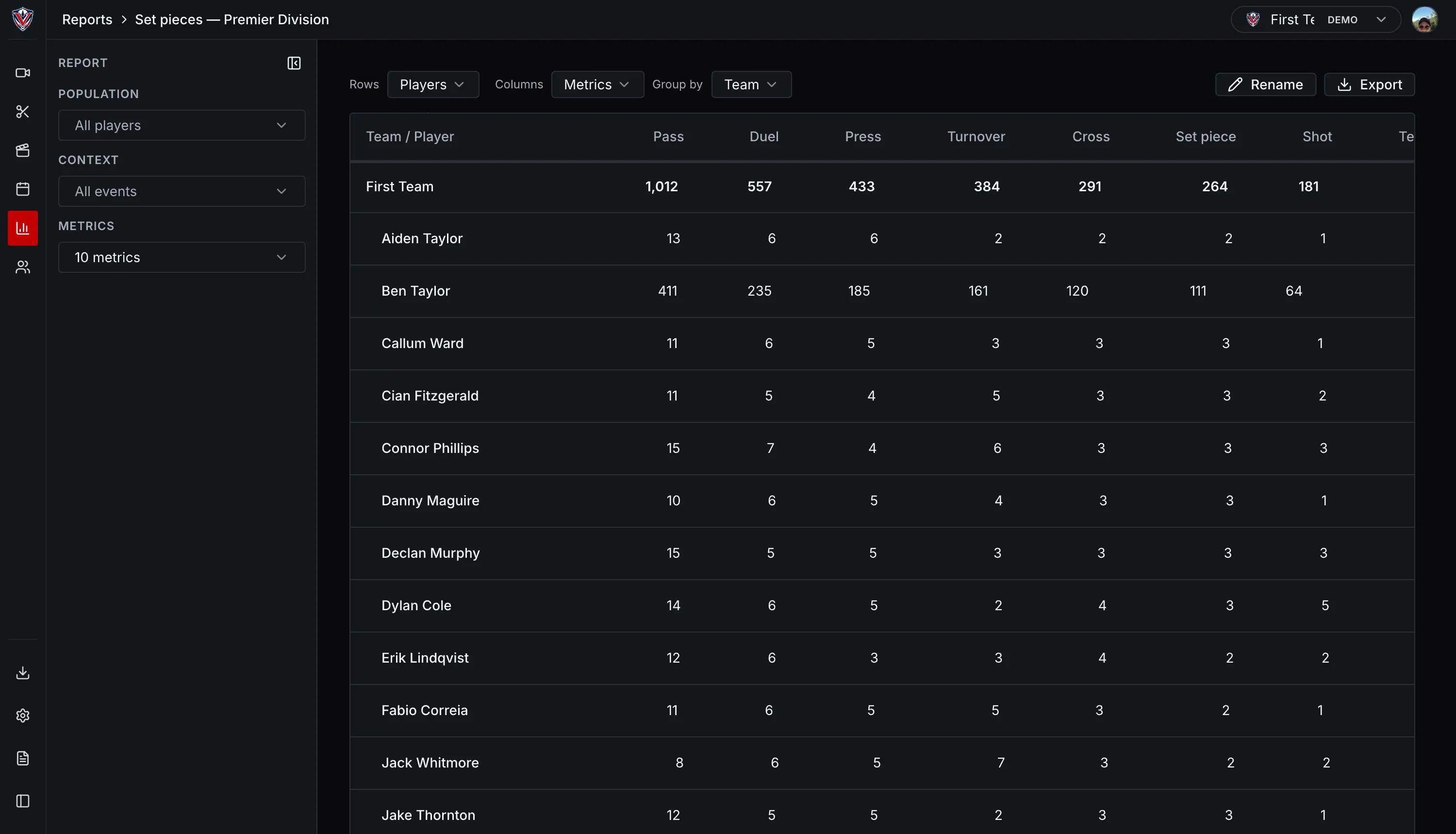
VectorPitch reports can be saved and shared within the organisation. Export a report table as CSV or Excel, then use Excel for quick checks, custom filters, calculations or a coach-specific view.
AI: ask questions using match context
Through MCP, a compatible assistant such as ChatGPT or Claude can read match, player, line-up, event, statistics and report data from VectorPitch. An analyst can ask a question in plain language and follow up without copying match details into a separate chat.
For example, ask an assistant to summarise event patterns across two matches or find the players involved in a particular sequence, then use the response as a starting point for a report. Access is read-only; the analyst checks the answer and owns the interpretation.
Access stays in the club’s hands
Organisation admins can create or revoke API keys. When an AI assistant connects through OAuth, connected-app controls let users see which apps have access and remove a connection.
API and MCP access are being introduced in stages; availability may vary.
One structured match record can power a BI dashboard, an Excel review, a connection to another performance analysis system or an AI-assisted question. The analyst stays in control of the coding and final interpretation.