The importance of AI for performance analysts

· VectorPitch Team
Performance analysis has always combined observation, judgement and communication. Analysts code events, search footage, make sense of patterns and turn findings into material for coaches and players. AI is becoming relevant to every stage of that work.
Research across other professions shows both the opportunity and the limits
A field experiment with 758 consultants found that AI improved speed by more than 25% and human-rated performance by more than 40% on tasks within its capability range. Performance fell on a task outside that range. The lesson is to choose the work carefully, then check the result.1
A 2026 working paper on financial analysts found AI integration was associated with reports drawing on 40% more sources and covering 34% more topics. Forecast errors also rose under heavier information demands. Richer output still needs time and expertise to synthesise.2
These findings show why the skill is becoming important: knowing what to ask, which material to use and how to test an answer can shape whether AI expands analysis or simply adds more text to review.
AI should support more than coding
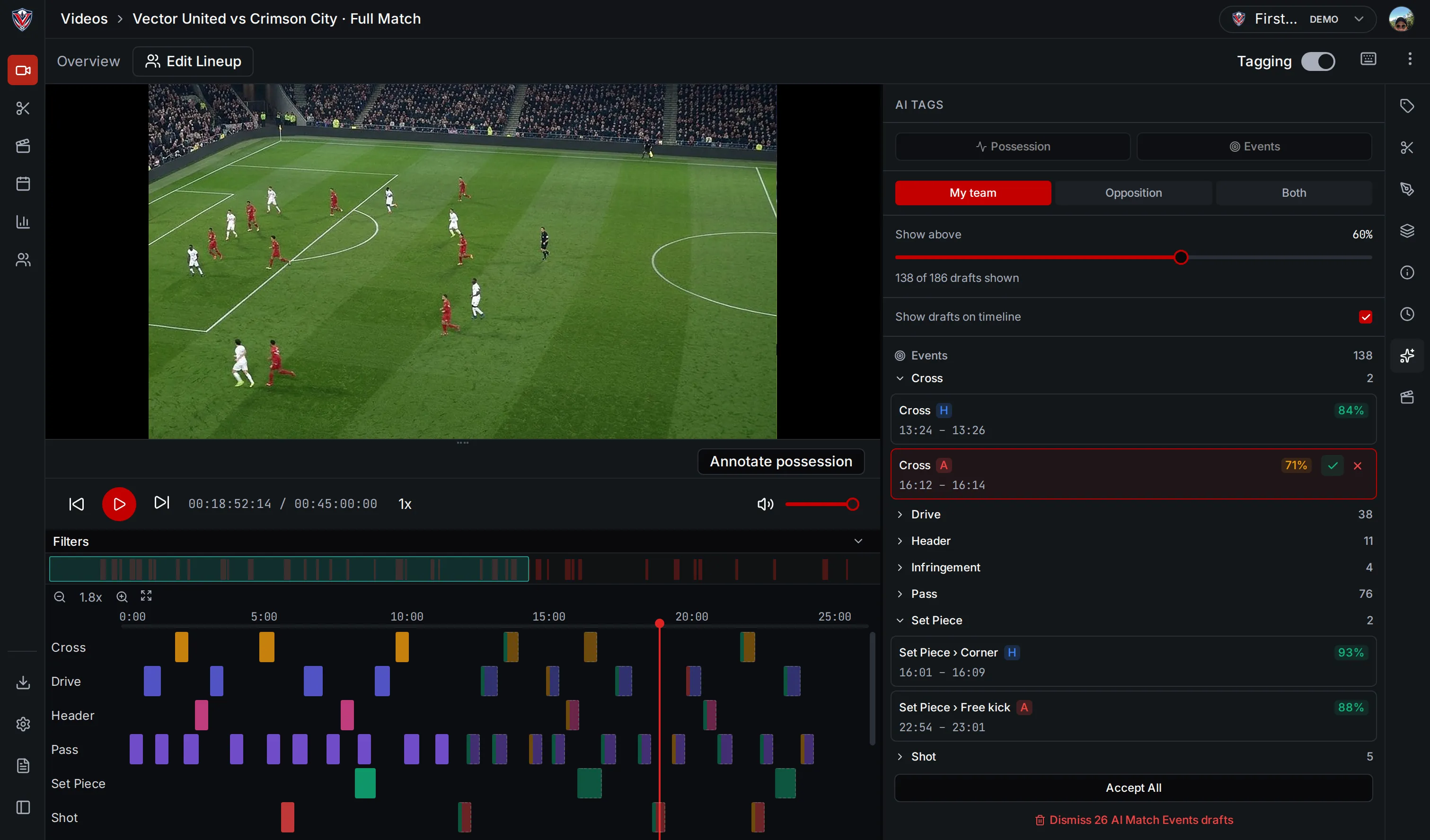
Automated coding is one useful starting point. A first pass at event tags can help an analyst find candidate moments for review. But coding is one step in a larger workflow: connecting events to match context, exploring patterns and communicating what matters.
A connected assistant can help an analyst ask questions across that context, compare events between matches, or prepare a first draft of a summary or report outline. The same match evidence can support different outputs for coaches, players or internal review.
These are working materials, not finished analysis. The analyst decides which comparisons are useful, checks the source evidence and shapes the final interpretation. AI can broaden the questions explored without taking responsibility for the answer.
Connect AI to the analysis
VectorPitch is being built to support AI in two parts of the workflow. Automated analysis can produce draft event and ball-touch tags inside the product for an analyst to review. A separate Model Context Protocol (MCP) connection is designed to let compatible assistants read match, player, event, clip and report context.
An analyst can connect an assistant such as ChatGPT or Claude to relevant VectorPitch information, subject to the assistant’s account and organisation settings and VectorPitch’s feature rollout. The connection is read-only: an assistant can retrieve analysis context but cannot change the VectorPitch record.
Using AI across the workflow is more than asking for a summary. An analyst might use it to explore a pattern, prepare a report starting point, reframe a finding for another audience or generate follow-up questions. Each output starts from the same analysis context and still needs professional review.
AI fluency should become professional practice
That includes choosing a suitable task, giving the assistant enough context, checking the evidence behind its response and recognising when the answer does not fit the footage or the question.
Performance analysts do not need to hand over their expertise. They need to know how to put AI to work: where it can move routine steps along, where it can expose useful material, and where human judgement must lead. That is how AI can support the whole analysis workflow, not just coding.